Don’t Click That Email.
The Threat Is in Your Inbox Right Now
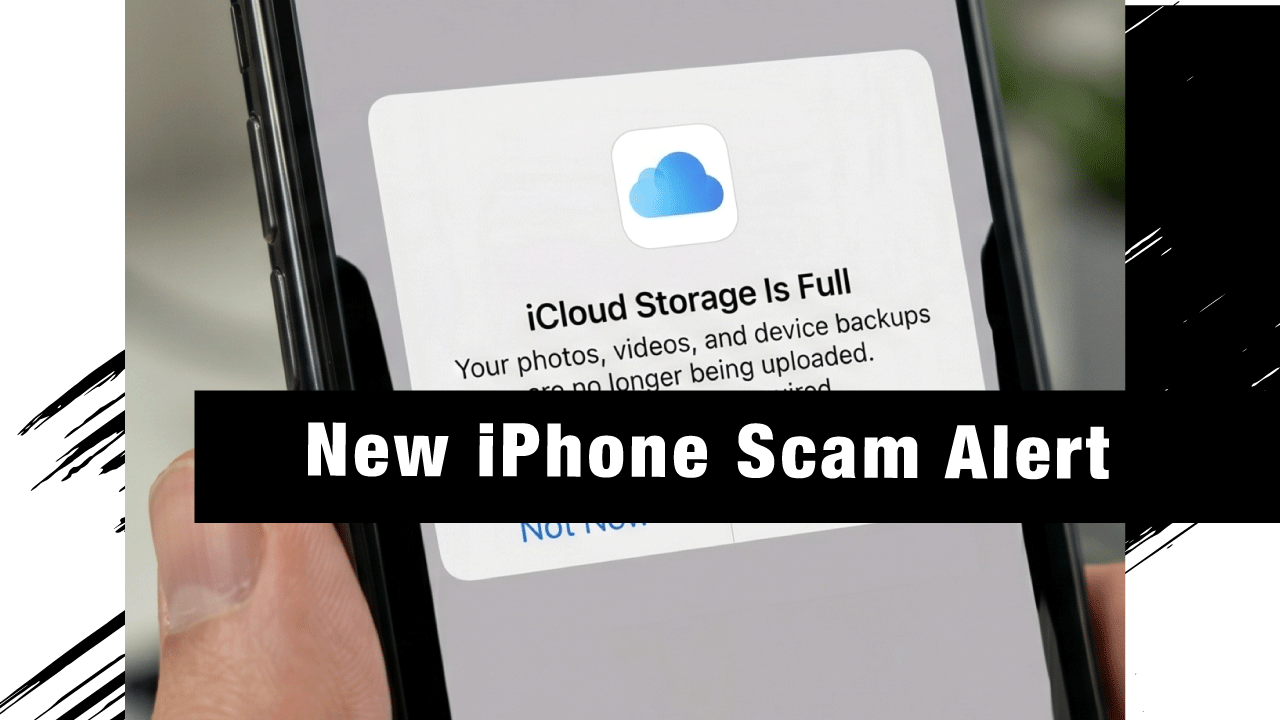
A sophisticated new phishing campaign is sweeping across inboxes worldwide, and it has one target in mind: Apple users. Fraudsters are sending fake “action required” messages impersonating Apple, claiming that iCloud storage is full and that photos and videos will soon be deleted or no longer saved.
The scale of this threat is difficult to overstate. Consumer organizations are warning the world’s 1.8 billion iPhone users about this sinister email scam designed to pilfer personal information and loot banking details. If your organization has employees using iPhones or Apple IDs — and virtually every modern workplace does — this is a threat you need to address today.
How the Scam Works
This attack is a textbook example of social engineering: it exploits urgency, fear of data loss, and Apple’s trusted brand identity to manipulate victims into acting without thinking.
Step 1: The Fake Alert Arrives
The fraudulent emails typically claim that iCloud storage has been exceeded and that users must upgrade immediately or risk losing access to backups, photos, and files. Many messages include urgent warnings such as account suspension within 48 hours or permanent data deletion unless action is taken.
Step 2: The Email Looks Legitimate
To make these scams more convincing, the emails often appear to come from addresses that include “apple.com.” While these may look legitimate at a glance, closer inspection usually reveals subtle discrepancies that indicate the sender is not genuine.
The scam can appear particularly convincing because it can arrive at roughly the same time as genuine Apple notifications about iCloud storage limits.
Step 3: Variations of the Attack
There are many variations of this scam. In one instance, an email was titled “iCloud Storage Alert” with the subject line: “We’ve blocked your account! Your photos and videos will be deleted on [date].” In another, the email stated: “Your payment method has expired!… Your cloud service has been disabled.” Other emails say something like “Payment failed for your Cloud storage renewal.” In all cases, there is a button encouraging the user to update their payment method or manage their storage. Those who ignore the email may receive a “final warning” follow-up.
Step 4: The Malicious Link
The link leads to a phishing website meant to harvest personal and financial data. If the victim enters their bank details or makes a payment, their information will be captured, allowing criminals to potentially steal more money or resell the data on the dark web.
Why Apple Users Are a Prime Target
Apple accounts hold highly sensitive personal data, including photos, contacts, financial details, and device backups. A successful phishing attempt can give attackers access to multiple services tied to a single Apple ID. The scale and realism of these scam emails make them particularly dangerous — even experienced users may struggle to distinguish them from legitimate messages.
From an enterprise perspective, this is not just a personal risk. Employees using corporate Apple IDs or iCloud-linked devices can inadvertently expose business data, credentials, and internal systems if they fall victim to this type of attack.
Red Flags to Watch For
Train your team to recognize these warning signs before they click:
- Urgent language threatening data deletion within hours or days
- Subject lines like “We’ve blocked your account!” or “Your storage has expired”
- Email addresses that include “apple” but do not come from a verified @apple.com domain
- Buttons or links prompting payment or login — Apple will never ask for banking details via email
- Grammar inconsistencies or formatting that slightly differs from genuine Apple communications
- Follow-up “final warning” emails when the first message is ignored
What To Do If You Receive This Email
If you receive such an email, do not click any links and report it as spam or move it straight to trash. It is always advisable to check iCloud storage directly through Apple’s official website or device settings. Emails impersonating iCloud can be reported to [email protected].
If you suspect an employee has already clicked a malicious link:
- Immediately change the Apple ID password from a safe, uncompromised device
- Enable two-factor authentication if not already active
- Contact your bank to freeze any payment methods that may have been entered
- Notify your IT or security team so they can assess potential credential exposure
- Check for unauthorized access across Apple-linked services
The Bigger Picture: Phishing Is Getting Harder to Detect
This iCloud campaign is part of a broader, accelerating trend. AI and Phishing-as-a-Service kits are widely available, which help scammers with little or no technical knowledge to launch sophisticated and convincing threat campaigns. Artificial intelligence makes it far easier for threat actors to mimic legitimate websites, drastically boosting the credibility and success rate of such scams.
The era of spotting phishing by poor spelling alone is over. Today’s attacks are polished, contextually timed, and psychologically precise.
How Teknologiia Protects Your Organization
As a Microsoft-certified Managed Security Service Provider (MSSP) operating across Lebanon, UAE, and the wider MENA region, Teknologiia helps businesses build defenses against exactly these types of social engineering threats. Our relevant services include:
- TeknoSOC — 24/7 Security Operations Center: Continuous monitoring to detect suspicious authentication activity and phishing-related indicators across your environment
- Email Security & Anti-Phishing Solutions: Multi-layered filtering, DMARC/DKIM/SPF enforcement, and real-time threat intelligence to block fraudulent emails before they reach your inbox
- Security Awareness Training: Empowering your employees to recognize and report phishing attempts — because your people are both your greatest vulnerability and your strongest line of defense
- Compromise Assessment Tests: If you suspect an employee has already been targeted, our team can identify signs of credential theft or account compromise across your infrastructure
- Incident Response: Rapid containment and remediation if a phishing attack has already succeeded
The Apple iCloud phishing campaign spreading in April 2026 is a sharp reminder that cybercriminals do not need to break through firewalls when they can trick a user into handing over their credentials. The attack is convincing, widespread, and already causing real financial harm to victims globally.
Awareness is your first line of defense. Managed security is your safety net.
Want to assess your organization’s exposure to phishing threats?
Contact Teknologiia today for a security consultation.
Related: What is Spear Phishing? and Turning Every Report into Action: Smarter Phishing Detection at TEKNOLOGIIA.