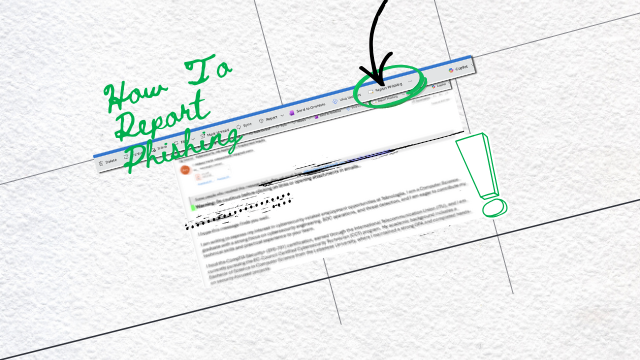
One-Click SOC Response with Microsoft Defender
Phishing emails remain the primary entry point for cyberattacks, particularly in Microsoft 365 environments where email is central to daily operations. Attackers commonly impersonate trusted brands, internal departments, or Microsoft services to steal credentials or deliver malware.
To reduce this risk, Teknologiia deploys a “Report as Phishing” button directly inside Microsoft Outlook and Outlook Web (OWA), integrated with Microsoft Defender for Office 365.
With one click, the suspicious email is:
- Automatically submitted to Teknologiia’s SOC
- Analyzed using Microsoft Defender signals (email headers, URLs, attachments, sender reputation)
- Correlated with tenant-wide telemetry to detect similar threats across the organization
Our SOC then:
- Confirms whether the email is phishing or malicious
- Removes similar emails from all mailboxes
- Blocks malicious domains, URLs, IPs, and senders in Microsoft Defender
- Provides remediation guidance and targeted user awareness
This workflow aligns with Microsoft Zero Trust principles and NIST incident response best practices, reducing response time from hours to minutes.
How to Spot a Phishing Email
While advanced security controls are essential, user awareness remains a critical defense layer. Common indicators of phishing emails include:
- Urgent or threatening language
Messages pressuring users to “act immediately” or risk account suspension or data loss. - Suspicious sender details
Display names may look legitimate, but the actual email domain is slightly altered or external. - Unexpected attachments or links
Especially ZIP, HTML, ISO, or Office files prompting macros or login pages. - Requests for credentials or personal information
Microsoft and legitimate organizations never request passwords via email. - Poor formatting or subtle spelling errors
Often used to bypass automated filters.
When in doubt, users should never click links or download attachments; instead, they should use the “Report as Phishing” button.
How to Prevent Phishing Emails
Effective phishing prevention requires a multi-layered approach, combining technology, process, and user awareness:
- Microsoft Defender for Office 365
- Anti-phishing and anti-spoofing policies
- Safe Links and Safe Attachments protection
- Real-time threat intelligence and automated remediation
- Strong Email Authentication
- Enforce SPF, DKIM, and DMARC to prevent domain spoofing
- Monitor DMARC reports to detect abuse and misconfiguration
- User Awareness & Reporting
- Enable one-click phishing reporting in Outlook
- Provide continuous awareness feedback from SOC investigations
- Identity & Access Protection
- Enforce Multi-Factor Authentication (MFA)
- Apply Conditional Access policies to reduce credential abuse
- SOC-Driven Monitoring & Response
- Continuous correlation of email threats with identity, endpoint, and cloud signals
- Proactive containment before impact spreads
This layered model significantly reduces success rates and limits the dwell time of attackers.
—-Read Related Article about Email Security —–
Why This Matters
By combining Microsoft Defender automation with Teknologiia’s SOC expertise, organizations move from reactive email security to proactive phishing defense, where every reported email strengthens the overall security posture.